Best Office Chairs for Working From Home 2025: Complete Ergonomic Guide (Budget to Premium)
Working from home has fundamentally changed how we think about office furniture. What once was a temporary setup has become a permanent workspace for millions. The chair you sit in for 8+ hours daily isn’t just furniture—it’s a critical component of your health, productivity, and long-term wellbeing.
This comprehensive guide examines office chairs across every budget range, from $50 budget options to $1,000+ professional-grade seating. More importantly, we’ll teach you the ergonomic principles that separate marketing hype from genuine health benefits.
Why Your Chair Choice Matters More Than Ever
Remote workers sit 10% more than office workers due to longer commutes (walking to your home office) and fewer natural movement breaks. Poor seating contributes to:
- Musculoskeletal Disorders: 86% of desk workers develop back, neck, or shoulder problems
- Reduced Productivity: Discomfort causes 23-minute attention span reductions
- Long-term Health Costs: Chronic back pain treatment averages $8,000-$12,000 annually
- Career Impact: Poor ergonomics leads to 12% more sick days and reduced work quality
The Science of Ergonomic Seating: What Actually Matters
Before examining specific chairs, understanding ergonomic principles helps you evaluate any seating option objectively. These aren’t marketing buzzwords—they’re evidence-based features that directly impact your health.
Critical Ergonomic Features Explained
Lumbar Support: Your Spine’s Natural Curve
Your spine has a natural S-curve. When sitting, the lower back (lumbar region) tends to flatten, creating pressure on spinal discs. Proper lumbar support maintains this curve, reducing disc pressure by up to 40%.
What to Look For:
- Adjustable Height: Lumbar support should hit between your 3rd and 4th lumbar vertebrae (roughly belt line)
- Depth Adjustment: Should extend 1-2 inches forward from the backrest
- Firmness: Supportive but not rigid—should maintain contact without forcing your back forward
Seat Pan Geometry: Foundation of Comfort
The seat pan affects circulation, pressure distribution, and posture. Poor design causes numbness, pressure sores, and postural problems.
Optimal Measurements:
- Depth: 17-20 inches (2-3 finger gap between seat edge and back of knees)
- Width: Minimum 17 inches for hip accommodation
- Height Range: 16-21 inches to accommodate 5th to 95th percentile users
- Waterfall Edge: Rounded front edge reduces pressure on thighs
Armrest Functionality: More Than Comfort
Proper armrests reduce shoulder and neck strain by supporting arm weight (8-10 pounds per arm). Poor armrests cause more problems than no armrests.
Essential Adjustments:
- Height: Elbows at 90-100 degrees when typing
- Width: Adjustable to match shoulder width
- Depth: Support forearms without interfering with desk approach
- Pivot/Angle: Should follow natural arm movement patterns
Understanding Chair Mechanisms
Tilt Systems Comparison
| Mechanism Type | Movement | Best For | Price Range |
|---|---|---|---|
| Knee Tilt | Pivots at knee point | Most users, natural movement | $200+ |
| Center Tilt | Pivots under seat center | Budget chairs, basic function | $50-150 |
| Synchro Tilt | Backrest tilts 2:1 ratio to seat | Active recliners, task work | $300+ |
| Multi-Position | Locks in multiple positions | Users who need position stability | $400+ |
Budget Analysis: What You Get at Each Price Point
$50-$150: Essential Features Only
Realistic Expectations: Basic adjustability, limited durability, minimal warranty
What’s Possible: Decent lumbar support, breathable materials, 1-2 year lifespan
What’s Missing: Advanced adjustments, premium materials, long-term durability
Best For: Students, temporary setups, light use (under 6 hours daily)
$150-$400: The Sweet Spot
Realistic Expectations: Good ergonomics, 3-5 year lifespan, comprehensive adjustments
What’s Possible: Quality mechanisms, decent warranties, professional appearance
What’s Missing: Premium materials, advanced features, perfect fit for all body types
Best For: Full-time remote workers, home office setups, most users
$400-$800: Professional Grade
Realistic Expectations: Excellent ergonomics, 5-8 year lifespan, advanced features
What’s Possible: Premium materials, extensive adjustability, comprehensive warranties
What’s Missing: Only minor refinements over mid-range in core function
Best For: Power users, people with specific ergonomic needs, long-term investment
$800+: Diminishing Returns
Realistic Expectations: Marginal improvements over $400-800 range
What’s Possible: Brand prestige, perfect fit, maximum adjustability
What You’re Paying For: Brand name, aesthetic design, incremental improvements
Best For: Ergonomic specialists, brand preferences, corporate environments
Budget-Friendly Chairs ($50-$150)
Affordable options that don’t sacrifice essential ergonomic features
Budget Chair Buying Strategy
At this price point, prioritize core ergonomic features over aesthetics or brand names. Look for:
- Adjustable lumbar support (even basic is better than none)
- Seat height adjustment with good range
- Breathable materials to prevent heat buildup
- Stable base with quality casters
Avoid: Chairs with fixed armrests, no lumbar support, or weight limits below your needs.

Sweetcrispy Ergonomic Computer Gaming Office Chair, Heavy Duty Task De…
Expert Analysis:
Designed with ergonomic principles in mind. Look for specific adjustability features to ensure it meets your individual needs.

Office Chair Ergonomic Desk Chair, 330LBS Capacity, High Back Computer…
Expert Analysis:
Designed with ergonomic principles in mind. Look for specific adjustability features to ensure it meets your individual needs.
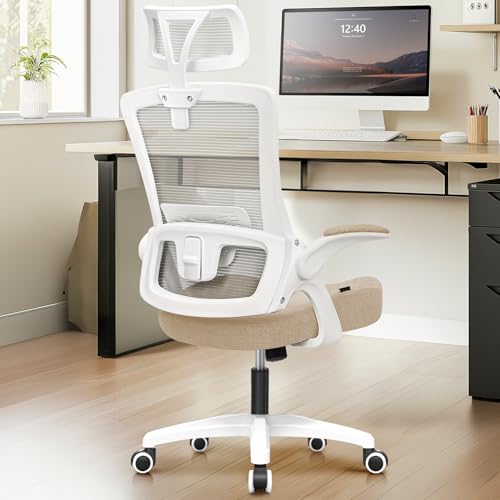
NEO CHAIR Ergonomic Office Desk Chair High Back Computer Gaming Mesh C…
Expert Analysis:
Breathable mesh construction reduces heat buildup. Good for users in warm environments or who tend to overheat during long work sessions.

TRALT Office Chair – Ergonomic Desk Chair with Adjustable Lumbar Suppo…
Expert Analysis:
Breathable mesh construction reduces heat buildup. Good for users in warm environments or who tend to overheat during long work sessions.

Leather Office Chair, PU Home Computer Desk Chairs with Ergonomic Back…
Expert Analysis:
Designed with ergonomic principles in mind. Look for specific adjustability features to ensure it meets your individual needs.

Sweetcrispy Office Computer Desk Chair, Ergonomic Mid-Back Mesh Rollin…
Expert Analysis:
Breathable mesh construction reduces heat buildup. Good for users in warm environments or who tend to overheat during long work sessions.
Mid-Range Chairs ($150-$400)
Best value chairs with professional features and durability
Mid-Range Value Analysis
This range offers the best return on investment for most users. Key improvements over budget options:
- Better mechanisms with smooth operation and longevity
- More adjustment options for personalized fit
- Higher weight capacities and more durable construction
- Improved materials that maintain appearance over time
Focus Areas: Tilt tension control, armrest adjustability, warranty length.

GABRYLLY Ergonomic Office Chair with Adjustable Lumbar Support, 3D Arm…
Expert Analysis:
Dedicated lumbar support system helps maintain spine’s natural curve. Beneficial for users with lower back concerns or long sitting periods.

Realspace® MFTC 200 Multifunction Ergonomic Super Task Chair, Black
Expert Analysis:
Designed with ergonomic principles in mind. Look for specific adjustability features to ensure it meets your individual needs.
Key Features:
- Mesh back fabric for optimal air circulation.
- Pneumatic seat-height adjustment lets you customize your seat.
- Backed by the manufacturer’s 5-year limited warranty.

CAPOT Ergonomic Mesh Office Chair, Adjustable Lumbar High Back Desk Ch…
Expert Analysis:
Breathable mesh construction reduces heat buildup. Good for users in warm environments or who tend to overheat during long work sessions.

ELABEST Ergonomic Office Chair,Home Desk Chair with Mesh Back,Adjustab…
Expert Analysis:
Breathable mesh construction reduces heat buildup. Good for users in warm environments or who tend to overheat during long work sessions.
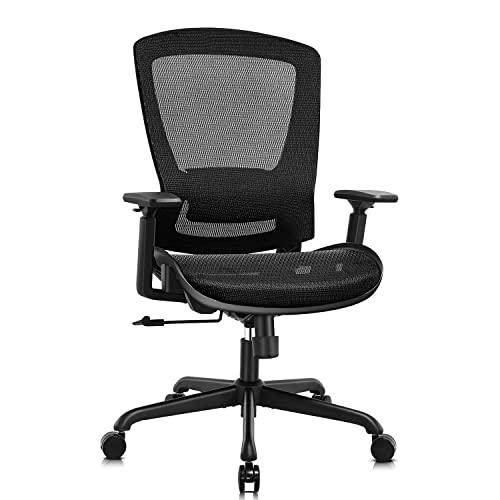
ELABEST Mesh Office Chair,Ergonomic Computer Desk Chair,Sturdy Task Ch…
Expert Analysis:
Breathable mesh construction reduces heat buildup. Good for users in warm environments or who tend to overheat during long work sessions.

CAPOT Ergonomic Mesh Office Chair, Adjustable Lumbar High Back Desk Ch…
Expert Analysis:
Breathable mesh construction reduces heat buildup. Good for users in warm environments or who tend to overheat during long work sessions.
Premium Chairs ($400-$800)
High-end chairs with advanced ergonomics and premium materials
Premium Features Justification
Premium chairs justify higher costs through:
- Advanced materials like high-grade mesh or genuine leather
- Precision engineering in adjustment mechanisms
- Extended warranties (5-10+ years)
- Specialized ergonomics for specific user needs
Best Value: Users spending 8+ hours daily who have specific ergonomic requirements.

X-Chair X1 High End Task Chair, Grey Flex Mesh – Ergonomic Office Seat…
Expert Analysis:
Breathable mesh construction reduces heat buildup. Good for users in warm environments or who tend to overheat during long work sessions.

HON Ignition 2.0 Mid Back Task Chair, Advanced Synchro-Tilt Control, O…
Expert Analysis:
Dedicated lumbar support system helps maintain spine’s natural curve. Beneficial for users with lower back concerns or long sitting periods.
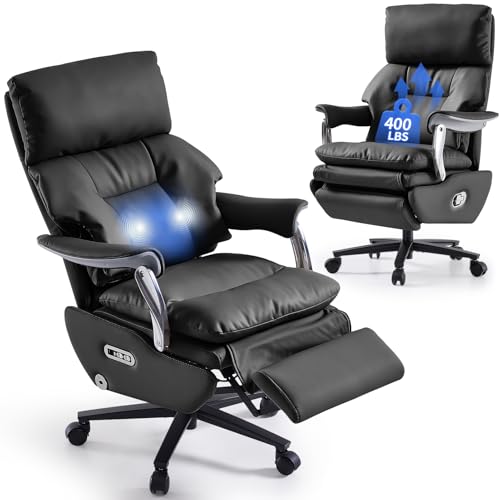
EMIAH Ergonomic Office Chair with Foot Rest Electric Executive Office …
Expert Analysis:
Designed with ergonomic principles in mind. Look for specific adjustability features to ensure it meets your individual needs.
Key Features:
- Functionality Upgrade: Electric Independently Adjustable Backrest and Footrest, Massage Fu
Luxury & Professional ($800+)
Top-tier chairs used in professional offices and by ergonomic specialists
Luxury Chair Reality Check
At this price point, you’re paying for:
- Brand reputation and design aesthetics
- Perfect fit for specific body types
- Maximum adjustability and customization
- Corporate-grade durability for 10+ year use
Consider Carefully: Whether the premium justifies 2-3x cost over excellent mid-range options.

Herman Miller Embody Ergonomic Office Chair | Fully Adjustable Arms an…
Expert Analysis:
Industry-leading ergonomic design with research-backed features and 12-year warranty. Excellent for users who prioritize long-term comfort and durability.
Key Features:
- RHYTHM fabric is tight, smooth soft to the touch, and prevents heat buildup
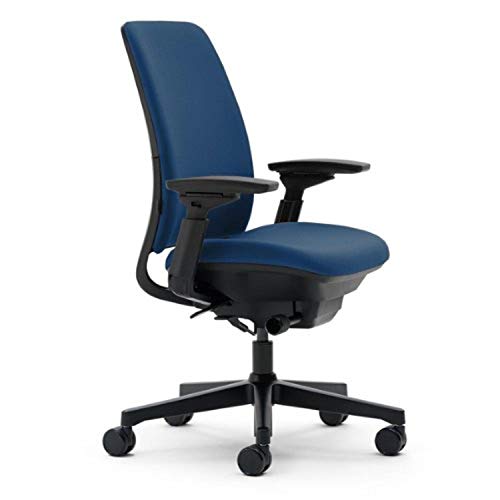
Steelcase Amia Office Chair – Most Comfortable Sit – 4 Points of Adjus…
Expert Analysis:
Professional-grade construction with advanced ergonomic features. Designed for intensive use with comprehensive adjustability options.
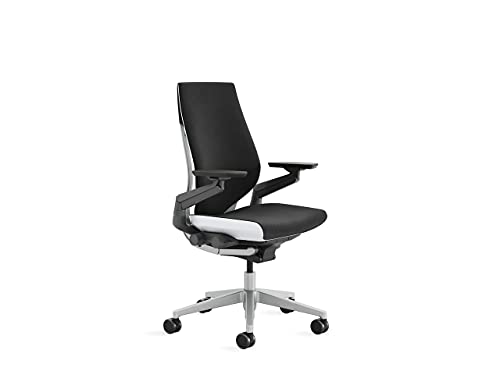
Steelcase Gesture Office Chair – Ergonomic Work Chair with Wheels for …
Expert Analysis:
Professional-grade construction with advanced ergonomic features. Designed for intensive use with comprehensive adjustability options.

Steelcase Gesture Office Chair – Ergonomic Work Chair with Wheels for …
Expert Analysis:
Professional-grade construction with advanced ergonomic features. Designed for intensive use with comprehensive adjustability options.

Steelcase Leap Office Chair V2 – Seven Points of Adjustability – Ergon…
Expert Analysis:
Professional-grade construction with advanced ergonomic features. Designed for intensive use with comprehensive adjustability options.

TOMU Top Grain Genuine Leather Executive Office Chair Brown, Luxury Of…
Expert Analysis:
Designed with ergonomic principles in mind. Look for specific adjustability features to ensure it meets your individual needs.
Specialized Ergonomic Chairs
Chairs designed for specific needs: gaming, tall users, petite users, back problems
Specialized Ergonomic Needs
These chairs address specific requirements that standard designs can’t accommodate:
- Medical conditions requiring specific support
- Body size extremes (very tall, petite, or heavy users)
- Unique work situations (standing desks, multiple monitor setups)
- Activity-specific needs (gaming, drafting, creative work)
TRALT Office Chair – Ergonomic Desk Chair with Adjustable Lumbar Suppo…
Expert Analysis:
Breathable mesh construction reduces heat buildup. Good for users in warm environments or who tend to overheat during long work sessions.

TRALT Office Chair Ergonomic Desk Chair, 330 LBS Home Mesh Office Desk…
Expert Analysis:
Breathable mesh construction reduces heat buildup. Good for users in warm environments or who tend to overheat during long work sessions.
CAPOT Ergonomic Mesh Office Chair, Adjustable Lumbar High Back Desk Ch…
Expert Analysis:
Breathable mesh construction reduces heat buildup. Good for users in warm environments or who tend to overheat during long work sessions.

Marsail Ergonomic Office Chair: Office Computer Desk Chair with High B…
Expert Analysis:
Breathable mesh construction reduces heat buildup. Good for users in warm environments or who tend to overheat during long work sessions.
GABRYLLY Ergonomic Office Chair with Adjustable Lumbar Support, 3D Arm…
Expert Analysis:
Dedicated lumbar support system helps maintain spine’s natural curve. Beneficial for users with lower back concerns or long sitting periods.

Big and Tall Office Chair for Heavy People 400lb, Ergonomic Desk Chair…
Expert Analysis:
Breathable mesh construction reduces heat buildup. Good for users in warm environments or who tend to overheat during long work sessions.
How to Choose the Right Chair for Your Specific Needs
Body Type Considerations
For Tall Users (6’2″ and above)
- Seat Height: Look for chairs with 18-22″ adjustment range
- Backrest Height: High-back chairs with adjustable headrests
- Seat Depth: 20″+ depth to support full thigh length
- Armrest Height: Extended range to accommodate longer torsos
For Petite Users (5’4″ and below)
- Seat Height: Chairs that adjust down to 16-17″
- Seat Depth: 17-18″ maximum to avoid pressure behind knees
- Footrest Consideration: May need footrest if desk height isn’t adjustable
- Lumbar Position: Lower lumbar support positioning
For Heavy Users (250+ lbs)
- Weight Capacity: Choose chairs rated 50-100 lbs above your weight
- Seat Construction: Heavy-duty foam and reinforced pan
- Base Strength: Steel or reinforced aluminum construction
- Cylinder Quality: Class 4 gas cylinders for durability
Work Style Matching
Intensive Computer Work (Programming, Writing, Data Entry)
Priority Features:
- Excellent lumbar support with fine adjustability
- Armrests that don’t interfere with keyboard use
- Breathable materials for long sitting periods
- Forward tilt option to reduce spine pressure
Recommended Investment: $200-500 range for daily 8+ hour use
Creative Work (Design, Video Editing, Architecture)
Priority Features:
- Wide range of tilt and recline positions
- Swivel and mobility for multiple monitor setups
- Comfortable for extended focused work
- Aesthetic that matches creative environment
Recommended Investment: $300-600 range for flexibility and comfort
Management/Meetings (Frequent standing, shorter sitting periods)
Priority Features:
- Quick-adjust mechanisms for different users
- Professional appearance for video calls
- Comfortable for 2-4 hour periods
- Easy mobility for office rearrangement
Recommended Investment: $150-400 range balancing function and appearance
Common Buying Mistakes to Avoid
Mistake #1: Buying Based on Appearance Only
Why It’s Wrong: Aesthetic appeal doesn’t correlate with ergonomic function
Better Approach: Test comfort first, then choose among ergonomically sound options
Mistake #2: Assuming More Expensive = Better for You
Why It’s Wrong: Premium features may not address your specific needs
Better Approach: Identify your specific requirements, then find the best solution
Mistake #3: Ignoring Your Desk Setup
Why It’s Wrong: Chair and desk must work together for proper ergonomics
Better Approach: Measure desk height and ensure chair compatibility
Mistake #4: Not Considering Long-Term Use
Why It’s Wrong: Cheap chairs cost more over time through replacements and health issues
Better Approach: Calculate cost per year of use, factor in health benefits
Setting Up Your Chair for Maximum Benefit
The 90-90-90 Rule
Proper chair adjustment follows the 90-degree principle:
- Feet: 90° angle at ankles, flat on floor or footrest
- Knees: 90-100° angle with 2-3″ clearance under desk
- Elbows: 90-100° angle when hands are on keyboard
- Back: Maintain natural spine curve with lumbar support
Daily Adjustment Routine
Even the best chair requires daily attention:
Morning Setup (2 minutes)
- Adjust seat height for proper desk relationship
- Check lumbar support positioning
- Set armrest height and width
- Adjust tilt tension for your weight
Hourly Micro-Adjustments
- Change tilt position slightly to redistribute pressure
- Adjust lumbar support depth throughout day
- Stand and reset position every hour
- Modify armrest position based on current task
Complementary Ergonomic Accessories
Essential Additions
- Monitor Arm: Proper screen height reduces neck strain
- Keyboard Tray: Maintains proper elbow angle
- Footrest: For shorter users or high desks
- Lumbar Cushion: Budget upgrade for chairs with poor support
Workspace Integration
Your chair is one component of an ergonomic workspace. Consider the total system:
- Lighting: Reduces eye strain and poor posture from screen glare
- Desk Height: Fixed or adjustable to work with your chair
- Storage: Frequently used items within arm’s reach
- Room Layout: Adequate space for chair movement and adjustment
Maintenance and Longevity
Daily Care Routine
- Fabric/Mesh: Light vacuuming or lint rolling weekly
- Leather: Wipe with damp cloth, condition monthly
- Mechanisms: Test all adjustments, listen for grinding sounds
- Casters: Remove hair/debris, ensure smooth rolling
When to Replace Your Chair
Signs it’s time for a new chair:
- Mechanical failure: Adjustments no longer hold position
- Comfort degradation: Padding compressed, support ineffective
- Physical symptoms: New or worsening back/neck pain
- Structural damage: Cracks, broken parts, instability
Final Recommendations by Use Case
Best Overall Value: $200-350 Range
For most remote workers, this range provides excellent ergonomics, durability, and features without premium pricing. Focus on chairs with:
- Adjustable lumbar support
- Quality tilt mechanisms
- Comprehensive armrest adjustability
- Breathable materials
- 3+ year warranty
Budget Champion: Under $150
If budget is tight, prioritize basic ergonomic features over premium materials. A $100 chair with good lumbar support beats a $200 chair focused on aesthetics.
Investment Grade: $400-600
For users with specific needs, intensive daily use, or ergonomic issues, investing in this range provides long-term value through better health outcomes and chair longevity.
Luxury Consideration: $800+
Only recommended if you’ve identified specific premium features that address your needs, or if you’re upgrading from already-excellent mid-range seating.
Remember: The best office chair is the one that fits your body, supports your work style, and encourages healthy posture throughout your workday. Take time to understand your specific needs, test options when possible, and view your chair as a long-term investment in your health and productivity.
Your work-from-home setup is only as strong as its weakest link. Don’t let poor seating undermine your professional success or personal wellbeing. Choose wisely, adjust properly, and your chair will support you through years of productive work.